
Design & Approvals
● For New Players
Submitting Your Design
Ready to submit your Wilderfae and make them official? Here’s what you need to do!
-
![]()
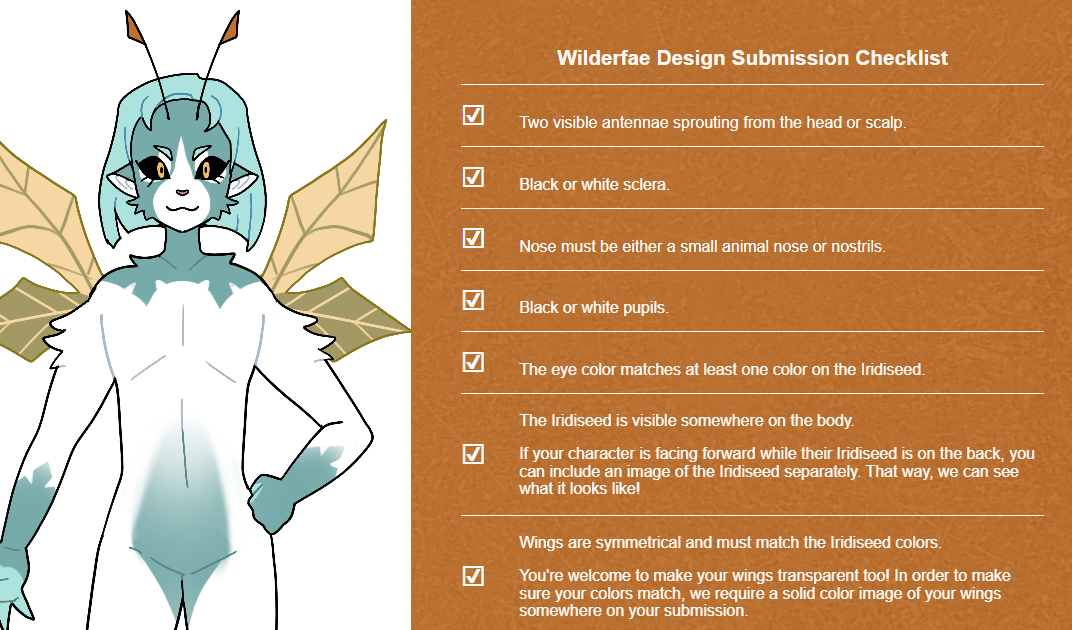
1. Make sure your masterlist image follows our Create a Wilderfae guide.
The image of your Wilderfae should show their entire body and provide us with a clear visual of their Iridiseed somewhere in the image. Make sure this is an image exported in a png or jpeg format.
-
![]()
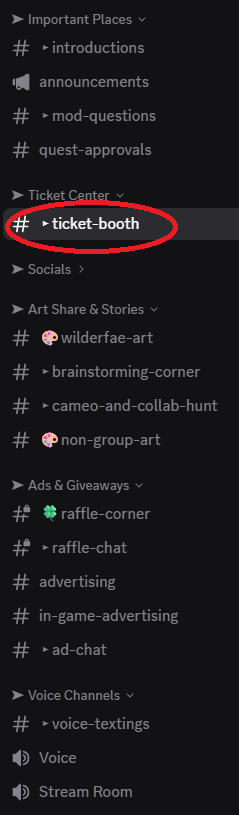
2. Join the Discord server and find the #ticket-booth channel.
Scroll through the channels listed on the left to find the #ticket-booth listed under the Ticker Center category. Click on the channel and if you see our friendly Sporites there, then you’re in the right place!
-
![]()
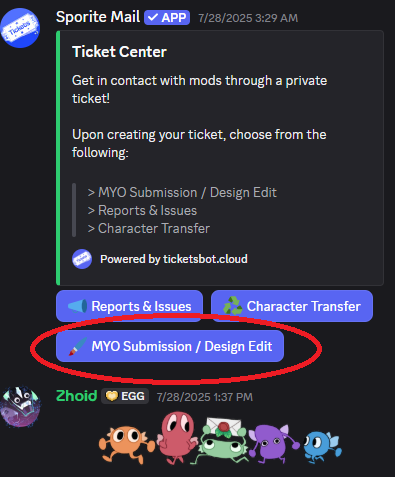
3. Open a ticket for MYO Submission/ Design Edit.
Click on the blue button as shown in the screenshot. This will open a brand new channel that is private to only you and the moderators! We’ll be notified when your ticket is opened as soon as you click the button.
-
![]()
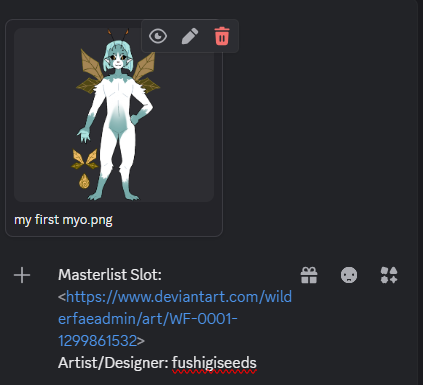
4. Provide us with the following information and your image
- Masterlist Slot Link. This should be a link to the slot in the Deviantart Masterlist.
- Your Masterlist image. Either uploaded elsewhere or directly into the ticket.
-Artist/Designer. Credit the original artist or designer of the design -
![]()
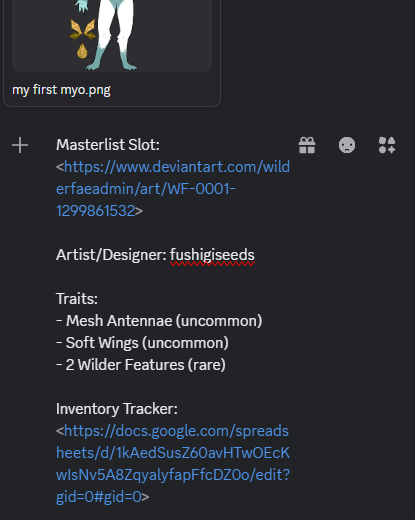
5. Include additional information if applicable
- Traits. If your design has traits, please provide us with a list in your message.
- Inventory Tracker. If you are using specific items to add traits, attach a link to your tracker so that we can check and mark them as used. -
![]()
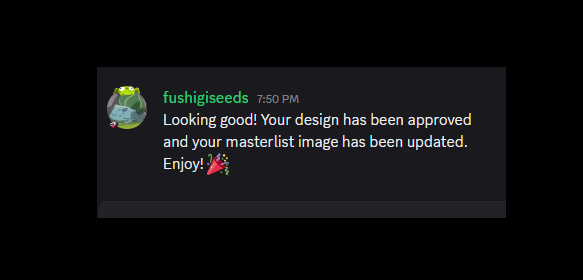
6. Wait for moderator correspondence.
A moderator will be in touch with you in case changes need to be made. When your Wilderfae is approved, the masterlist image will be updated. With your Wilderfae now officially approved, you’re free to explore our other game mechanics!
Editing Your Design
Have you acquired a new trait item and want to use it?
If so, a new updated image of your Wilderfae will need to be recorded in their Masterlist entry.
To do this, you can submit a Design Edit submission through our Discord. Use the same process mentioned above so that your Masterlist entry can accurately reflect your character!
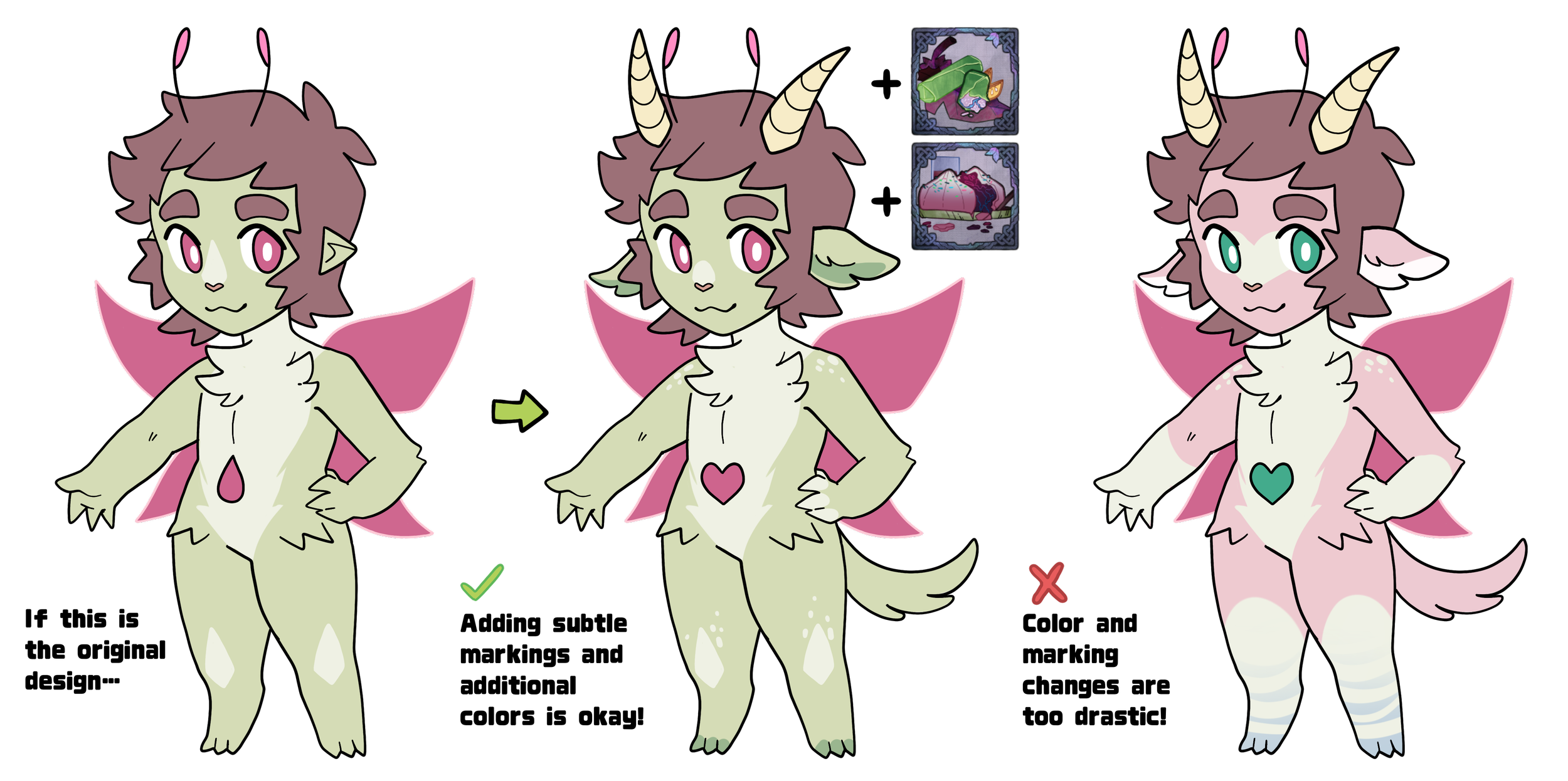
You are also welcome to update your character's markings and colors through this process as well. Please note that drastic changes to the original design are not allowed. Each design edit will be reviewed on a case-by-case basis, but do ask questions or refer to our example image to see what's allowed.
What does and doesn’t need to be logged?
You do not need to submit a new design if you’re changing your character’s fur length, hairstyle, or body type.
Your Masterlist entry should reflect any major cosmetic and traits changes on your character, as long as the color and marking changes are not too extreme and unrecognizable from their original design.
● Inspiration
Struggling to come up with a design for your MYO?
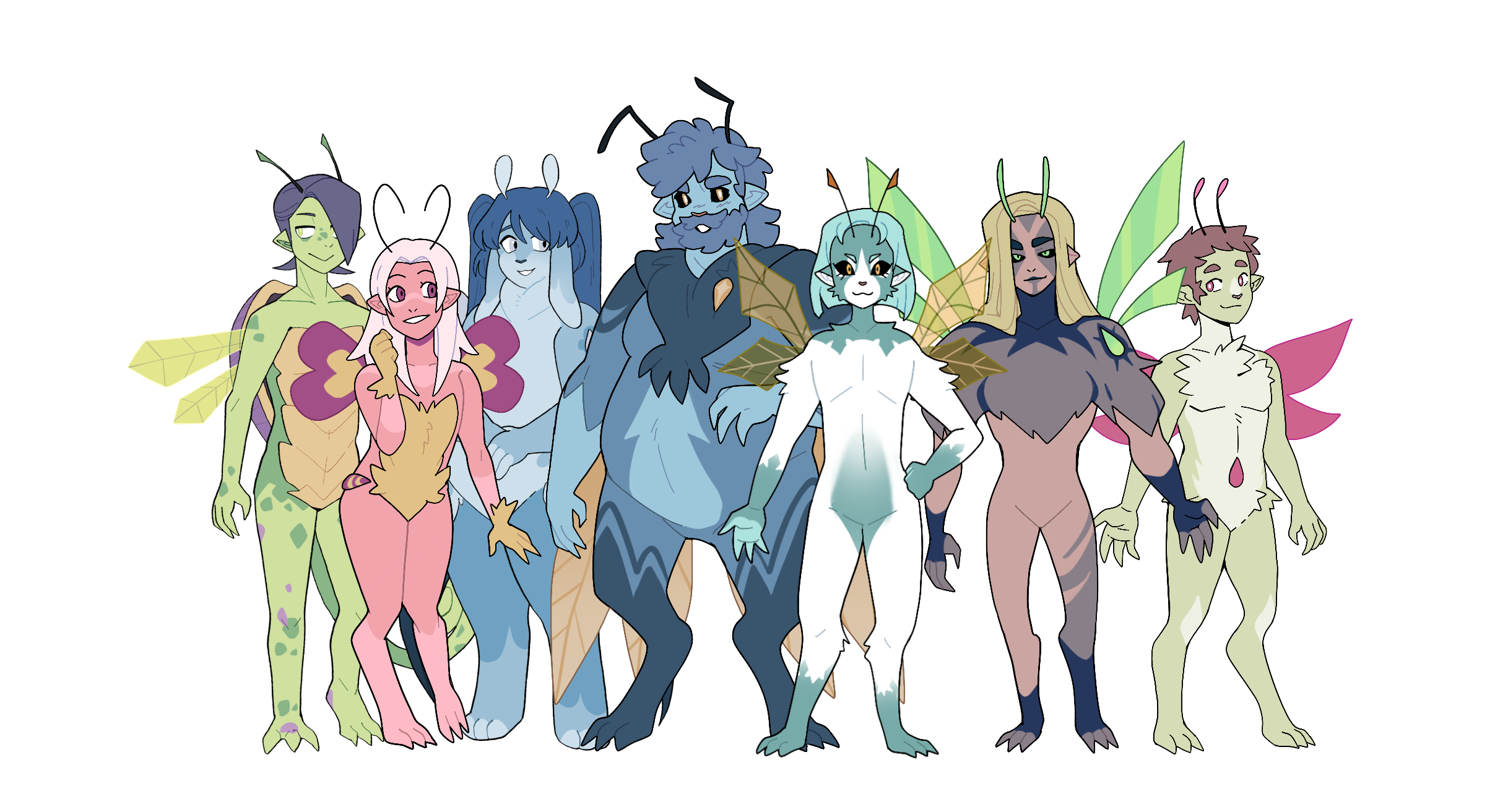
Feel free to peruse our galleries to find approved Wilderfae examples, both by the official creators and community members!
While we allow you to take inspiration, do not directly copy anyone else’s designs!
-
Create a Wilderfae
Review our guide on how to design a Wilderfae
-
Traits Index
Explore the available Traits & Wilder Features